


I approached NaukNauk: Bring Fandom to Life as an entertainment app for people who already have figures, toys, or collectibles sitting on a shelf and want to do more with them than simply display them. Its central idea is easy to understand: use AI to help collect, connect, and animate physical items. That makes it more interesting than a standard catalog, although it also means the experience depends heavily on how much you enjoy organizing objects and experimenting with creative tools.
After spending time with it, I see the app as a bridge between a personal collection and a playful digital space. It is not trying to replace a dedicated collector database, a social network, or a full animation studio. Instead, it sits somewhere between those categories. You can use it to give your collection a clearer identity, explore relationships between items, and turn familiar toys into something more expressive. The result is best when you treat it as a creative companion rather than a serious inventory system.
How the everyday collection workflow feels
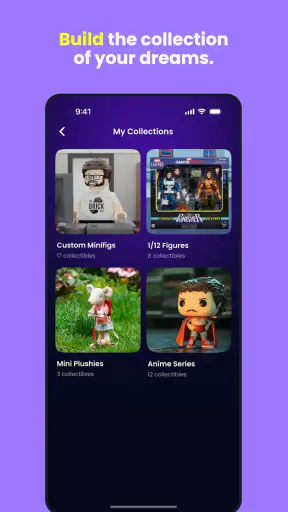
The natural starting point is to bring your own objects into the app. That could mean action figures, character toys, models, or other collectibles that have personal meaning. I found the strongest use case was beginning with a small group instead of trying to record everything at once. A limited set is easier to recognize, easier to organize, and more enjoyable when you start testing how the app connects the pieces.
That smaller beginning also makes the AI side more useful. When an app is built around visual or descriptive interpretation, a focused collection gives you time to notice where its suggestions are helpful and where you need to correct or refine your input. I would not approach NaukNauk as a place where every item automatically becomes perfectly understood. It works better as a conversation between your collection and the tools: you provide the objects and context, then decide which results actually fit.
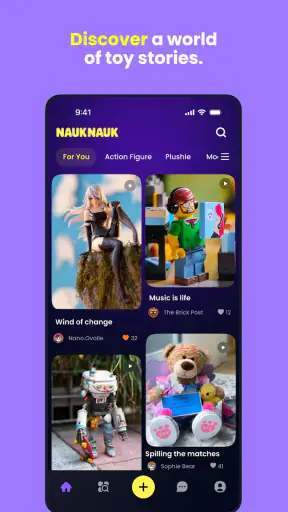
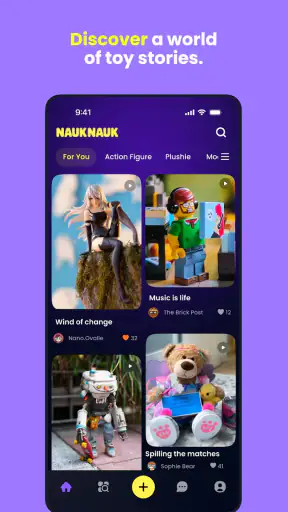
The “connect” idea adds a layer beyond simple storage. A collection becomes more engaging when items are viewed together rather than as isolated entries. You might group figures from the same fandom, place favorite pieces into a shared theme, or use relationships between objects as the starting point for a playful scene. This is where the app feels more personal than a spreadsheet. A spreadsheet can tell me what I own; NaukNauk encourages me to think about why the items belong together.
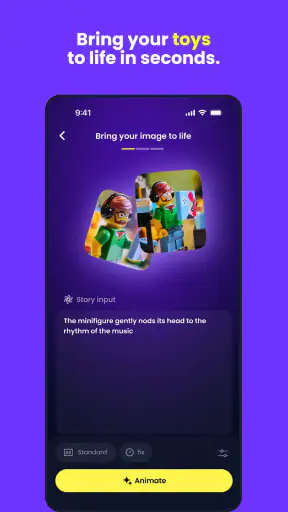
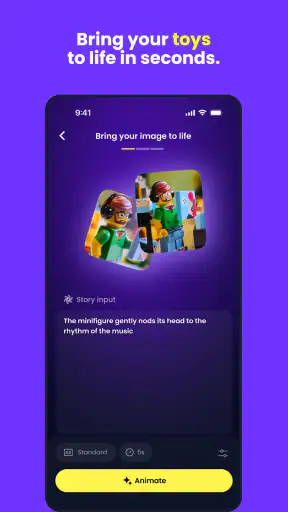
Animation is the most distinctive part of the concept, but it is also the area where expectations need to stay realistic. I would use it for quick creative moments, visual experiments, and sharing the personality I associate with a figure. I would not expect the depth or precise control of professional animation software. The appeal is speed and imagination, not frame-by-frame production.
A realistic everyday scenario is a quiet weekend afternoon spent sorting a shelf. Instead of photographing everything and then abandoning the project, I could choose a handful of favorite figures, connect them around a common theme, and animate one small interaction. Later, the same collection can become a starting point for another idea. That repeatable loop—choose, organize, connect, and play—is more sustainable than treating the app as a one-time novelty.
Start with a collection you understand
My practical advice is to begin with objects you can identify easily and care about. Familiar items make it simpler to judge whether the app’s interpretation feels useful. They also give you a stronger creative direction. If you begin with a random box of mixed toys, the first session may become a cleaning and correction task rather than an entertaining one.
It is also worth deciding what you want from the app before adding items. If the goal is a visual record, consistency matters: use a similar approach for each piece and keep the collection organized around a clear theme. If the goal is animation, choose figures with obvious character or visual contrast. If the goal is discovery, mix related objects and see whether the connections suggest combinations you would not have considered yourself.
This distinction matters because NaukNauk can serve different kinds of collectors. Someone who wants a strict purchase history, condition report, resale valuation, or highly detailed catalog may find a dedicated collection-management tool more suitable. Someone who wants their shelf to feel alive and creatively connected is much closer to the intended experience.
Settings and habits that deserve attention
I would spend a few minutes reviewing the available settings before building a large collection. The most important reason is not to hunt for a secret mode, but to understand how much control the app gives you over the way you work. Check how your items are presented, how you move between collection and creative areas, and which actions require confirmation. Knowing the basic flow prevents accidental rework later.
Because the app combines personal objects with AI-assisted creation, I would also think carefully about the images and descriptions I choose to use. A clear, uncluttered view of a figure is more useful than a crowded shelf photo when the object itself matters. Good lighting and a consistent angle can make your own collection easier to review, even before the creative tools are involved. This is a simple habit, but it improves the quality of the whole process without pretending that the app can solve every recognition problem automatically.
Another useful setting-related habit is to keep the experience focused. If notifications or sharing prompts distract you from collecting, reduce anything you do not need. If you enjoy returning to unfinished ideas, leave the creative workflow easy to reach. The best configuration is the one that supports your reason for using the app, not the one that exposes every possible option.
Families should pay attention to the Teen content rating and decide whether the app fits the intended user. That rating is especially relevant if children are using a shared device or if the collection includes fandom material with different age expectations. I would also discuss sharing before letting a younger user publish or send creations. The app is entertainment, but a personal collection can still reveal interests, possessions, or recognizable surroundings.
The free entry point makes experimentation straightforward, but the presence of in-app purchases means I would avoid assuming that every creative possibility is included without cost. Items range from $4.99 to $99.99, so I would check the price of any purchase carefully before confirming it. My approach would be to use the free experience long enough to decide whether the workflow fits me, then spend only when a specific addition genuinely improves how I use my collection.
Faster patterns for experienced users
Once the initial collection is in place, the fastest approach is to create repeatable groups. Instead of treating every session as a fresh project, I would maintain a few clear themes: perhaps a favorite franchise, a color-based set, a group of figures with similar scale, or a collection reserved for animation experiments. This reduces decision fatigue and makes it easier to return to an idea after a few days.
A second efficient pattern is to separate organizing from creating. When I try to catalog, connect, and animate everything in one sitting, the session becomes scattered. I get better results by first making the collection understandable, then choosing one small creative direction. That separation also makes it easier to notice whether I am enjoying the app for its organizational side or its animation side.
I would also keep the first animated attempt deliberately simple. Pick one figure or a small group, test the result, and decide what deserves another pass. The temptation with an AI-assisted tool is to keep adding objects because the concept feels exciting. In practice, a restrained scene often communicates more clearly and takes less time to adjust.
For collectors with many items, a staged workflow is more manageable. Begin with the pieces that have the strongest personal value, then expand only when the first group feels useful. This avoids turning the app into a digital version of an overfilled storage box. The aim is not to enter every possession immediately; it is to create a collection you will actually revisit.
One non-obvious benefit of this approach is that it can help with rediscovery. Collectors often remember the newest purchase but overlook older figures. By creating themed groups rather than sorting only by acquisition order, I can bring forgotten pieces back into view. That makes NaukNauk more valuable as a source of creative prompts than as a passive archive.
Where the AI experience has limits
The app’s AI concept is appealing, but I would keep a human in the loop. AI can make a collection feel more dynamic, yet it should not be treated as the final authority on what an object is, how it belongs in a group, or what story it should tell. Your knowledge of the collection remains important, especially when items are unusual, customized, partially visible, or intentionally displayed in a busy scene.
This is also why careful input matters. If a result feels wrong, the answer may not be to abandon the idea immediately. Try simplifying the group, clarifying the visual context, or approaching the same figures from a different creative angle. At the same time, do not spend unlimited effort forcing an outcome. One of the trade-offs of AI-assisted entertainment is that experimentation is part of the fun, but repeated correction can turn that fun into maintenance.
NaukNauk is not the right choice for everyone. If you want a formal database with extensive fields, dependable valuation tools, or a highly structured record of purchases and condition, a specialist collector app will probably serve you better. If you want a full social platform built around long discussions, trading, or large communities, a fandom forum may be a stronger fit. If you want professional animation controls, you will outgrow this app quickly.
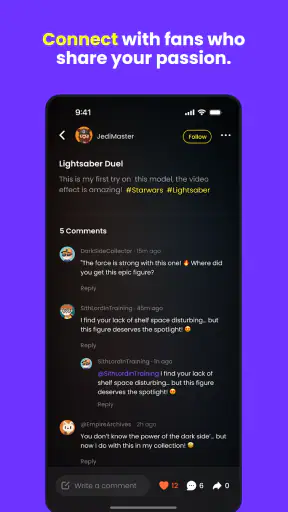
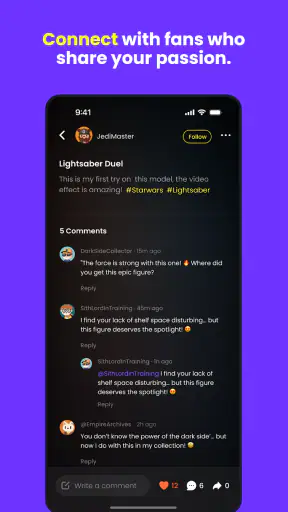
It is also less appealing if your collection is entirely digital or if you have no interest in photographing, describing, grouping, or revisiting physical objects. The app’s charm comes from the connection between real-world items and playful digital treatment. Without that personal collection element, the experience may feel less meaningful than a conventional entertainment app.
Compatibility, cost, and long-term value
NaukNauk is free to install, and it supports devices running Android 7.0 or later. That gives it a broad technical reach, although the actual comfort of using creative features can still depend on the phone or tablet in your hands. A larger screen may make collection browsing and visual work more pleasant, while an older device could make the experience feel less fluid even when it meets the minimum requirement.
The app comes from NaukNauk and has reached over a million installs, with an average rating of 4.4 from around eleven thousand ratings. Those figures suggest that the concept has found a substantial audience, but they should not replace personal testing. The right question is whether your own collection and creative habits match what the app is designed to encourage.
The current version is 1.3.25, and the app was released on May 25, 2025. I would keep it updated when possible, particularly because AI-focused apps can change noticeably as their workflows develop. Even so, I would judge each update by how it affects the tasks I actually perform: adding objects, making connections, and creating animations. More options are not automatically better if they make the basic route harder to follow.
For long-term use, the strongest value comes from returning habits rather than a single impressive result. Set aside a small collection for experimentation, revisit older figures, and build creative sessions around themes you genuinely like. If you use it only once to animate a novelty item, the appeal may fade quickly. If you treat it as a living notebook for a collection, it has a better chance of becoming part of your routine.
My verdict after using it as a collector’s creative tool
I recommend NaukNauk to collectors who want more interaction with their figures and toys than a conventional shelf or inventory list can provide. Its combination of collection building, connections, and AI-assisted animation gives familiar objects a new role. I especially like the idea of using a small, carefully chosen group and returning to it over time instead of trying to document everything in one exhausting session.
My recommendation comes with clear boundaries. This is not a replacement for specialist cataloging, serious animation software, or a full fandom community. The AI should be guided rather than blindly trusted, and the purchase range means I would explore the free experience before paying for anything. The Teen rating also makes it sensible to think about how younger users share creations and use a common device.
For me, the deciding strength is the way it turns collecting into an active hobby. A figure can become an entry, a connection, a character, or the starting point for a short animated idea. That flexibility is more valuable than a long checklist of tools. If you already enjoy physical collectibles and want a playful way to revisit them, NaukNauk is worth trying. Its best results come from small collections, clear themes, and patient experimentation—not from pressing every button at once.


